![logo icon white.png]](https://help.hijiffy.com/hs-fs/hubfs/logo%20icon%20white.png?width=50&height=50&name=logo%20icon%20white.png)
Why are Templates so important?
Templates are the core of Email Copilot - they're what the Copilot uses to build a suggested reply.
Copilot works out of the box with the base templates. It works better once a client personalizes them: their own greetings and sign-offs, their own phrasing, their own call on what gets automated. Personalization takes upfront work from the client, but it's what pushes reply quality up - the more a client shapes their templates, the more the suggestions sound like them and fit their specific policies.
The better the templates are, the better the suggestions for the team will be.
Management is restricted to Admin and Manager roles.
Templates vs. Knowledge Base Documents
Templates and Documents do different jobs:
- Documents (Knowledge Base) hold the facts - check-in times, policies, prices, amenities. This is the content.
- Templates hold the instructions - how the Copilot should turn that content into a reply, topic by topic, and where a human needs to step in instead. This is the structure.
Templates don't replace the Knowledge Base. Facts still need to live in Documents; templates tell Copilot how to use them.
The templates have three components:
- Static Text - Hard-coded content identical in every reply — greetings, sign-offs, signatures.
- AI Slot - Instruction for the AI to answer a topic automatically.
- Human slot (agent) - Instruction for a topic needing human intervention; generates a task placeholder rather than automated text.
Note: Static text isn't a guaranteed verbatim output. If Copilot sees a reason to adapt it - a specific guest request, a needed correction - it can adjust the wording. Static text sets the default, not a hard lock.
Templates as an automation dial
A template is effectively a set of instructions for Copilot, topic by topic - and each slot is a choice about how much to automate:
- Anything the answer to which lives in the Knowledge Base → [ai agent].
- Anything that needs a judgment call or action from staff → [human agent].
The automation and the percentage of the answers the CO-pilot will be able to provide to the staff will depend on the amount and quality of the templates.
Base set of templates
HiJiffy already provides a set of templates:
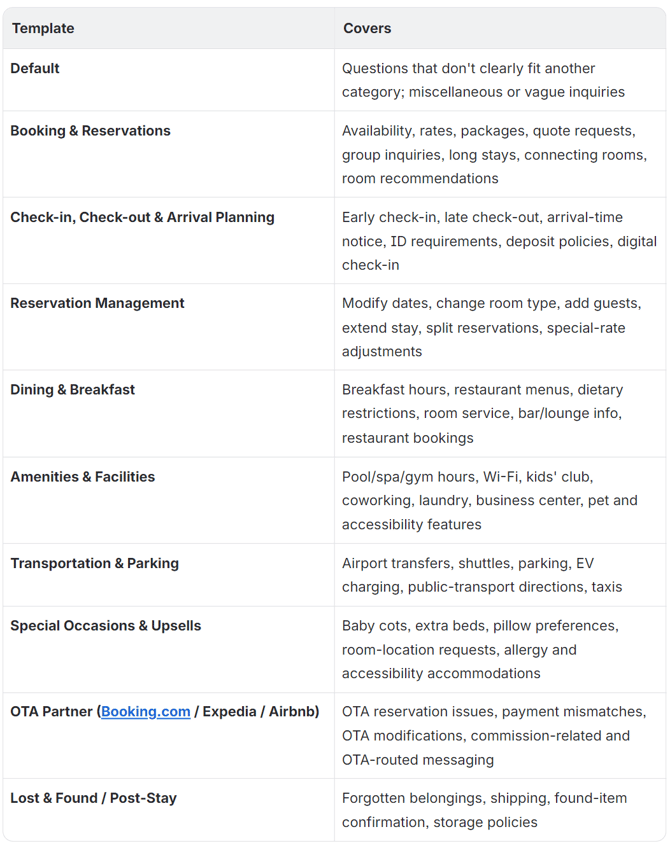
Copilot isn't limited to one template per reply. It can pull from more than one template when a message needs it, and it's able to judge on its own which templates are the best fit.
Templates Admin capabilities
From the Email AI Templates management area, Admins/Managers can:
- Edit existing templates — modify descriptions, static text, AI-slot instructions or human-slot instructions.
- Create new templates — build custom templates from scratch for unique guest scenarios.
If you are struggling with the templates, please use the Gem we built to help you.
Templates in the console
Templates live in Chatbot > Customized Messaging > Templates for Email Copilot.
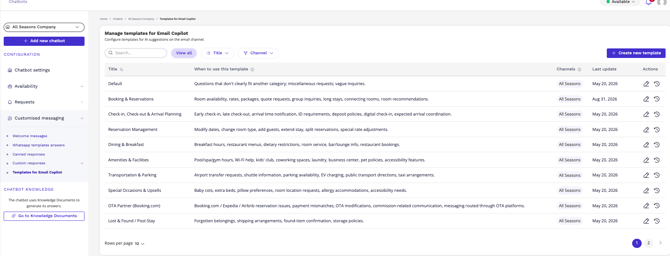
Once the feature is activated, the base set of templates is created automatically. From there, you can view and edit the base templates or create new ones.
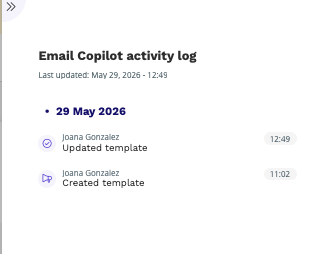
An activity log tracks who changed a template and when - but not what was changed. For now, you can't compare versions to see the actual edit, only that one happened.
Default greeting and signature
Signatures can be defined at the agent level or the channel level. If either is set, Copilot won't add a signature of its own - it defers to that. If neither is set, the signature comes from the template.
Greetings work differently: there's no agent- or channel-level default for them today, so the greeting still needs to be added within each template.
Best Practices to Create Templates
- Make instructions conditional and scoped: Instead of "include the cancellation policy," try "include the cancellation policy only if the guest asked about cancelling or changing their booking." Vague instructions often lead to over-inclusion.
- Split compound instructions: Break multiple asks into separate bullet points. When bundled together, the AI tries to satisfy every point even if only one applies.
- Explicitly state what to omit: Directives like "do not mention X unless Y" are often more effective than assuming the AI will default to omitting context.
- Add an explicit uncertainty rule: Include an instruction such as "if you cannot verify a fact (e.g., reservation status, availability), do not state it as confirmed - flag it for the human agent to check." This directly addresses the issue from your example.
- Spot-check changes: Test updated templates against 5–10 recent conversations before rolling them out broadly, as minor wording adjustments can significantly shift the output.