![logo icon white.png]](https://help.hijiffy.com/hs-fs/hubfs/logo%20icon%20white.png?width=50&height=50&name=logo%20icon%20white.png)
In this menu, there are two different tabs:
Basic Information
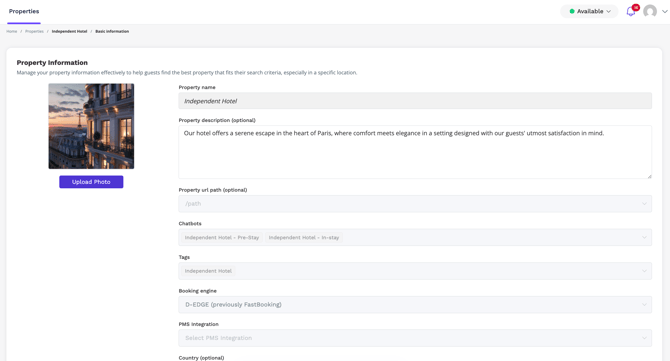
- In this tab, you can see the list of properties and associated information.
- You can edit the property description (Optional) and add/delete/change the picture (we highly recommend uploading a photo).
- If you wish to change other information that is blocked, please contact your account manager.
Note: To ensure PMS connection please refer to the "Guest Manager" menu
Chatbot Knowledge Base
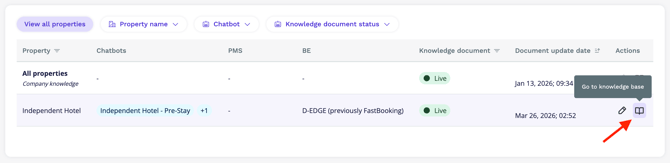
This option allows you to upload a document with information about the property selected.
It is very important to follow certain rules when creating and updating the document. To learn more and use our template, click here