![logo icon white.png]](https://help.hijiffy.com/hs-fs/hubfs/logo%20icon%20white.png?height=40&name=logo%20icon%20white.png)
Each agent can change the language of the Console's menus and tools (this only affects the Console and not the chatbot or widget's languages).
Change the Console display language
To change the language in which your Console is displayed:
- On the Console, go to 'User profile'
 ;
; - In the 'Languages' field, select your desired language;
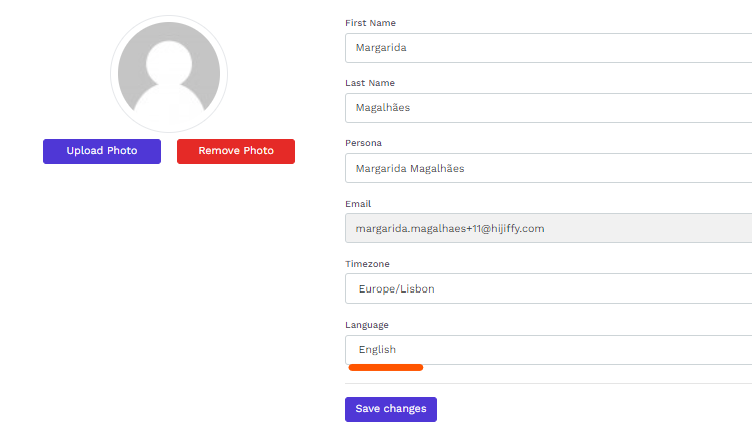
- Click 'Save changes' to apply.
Available Console display languages
At the moment, the Console is available in the following languages:
- English;
- French;
- German;
- Portuguese;
- Spanish.