![logo icon white.png]](https://help.hijiffy.com/hs-fs/hubfs/logo%20icon%20white.png?height=40&name=logo%20icon%20white.png)
Before you begin, please ensure you have full control over your business portfolio.
Steps to Grant Us Access:
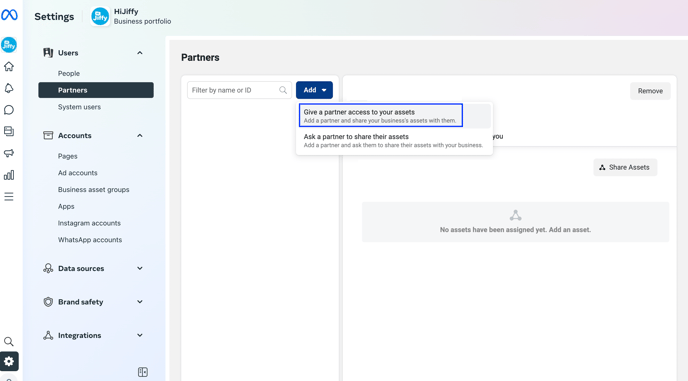
- Log in to your Meta Business Suite/Business Manager and navigate to Business Settings.
- Under the Users section, select Partners.
- Click Add, then choose Give a partner access to your assets.
- Enter our Business ID and click Next.
- Our Business ID: 1919379918296404
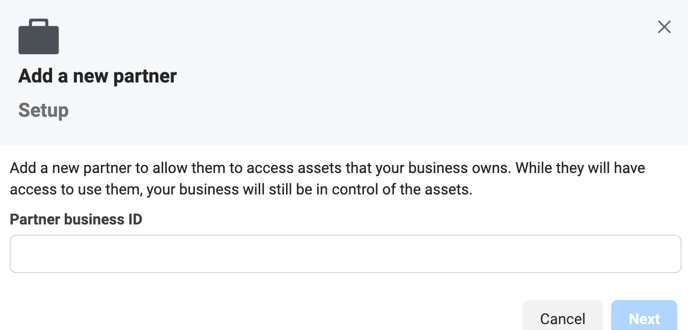
- Our Business ID: 1919379918296404
- Select all your business assets and ensure you provide us with full control over each asset.
- Finally, click Save Changes.
Confirmation:
Once you've completed these steps, please inform us so we can proceed.